The Philosophical Developer — Getting Started with the Local Cloud
2026-07-10 · 8 min read
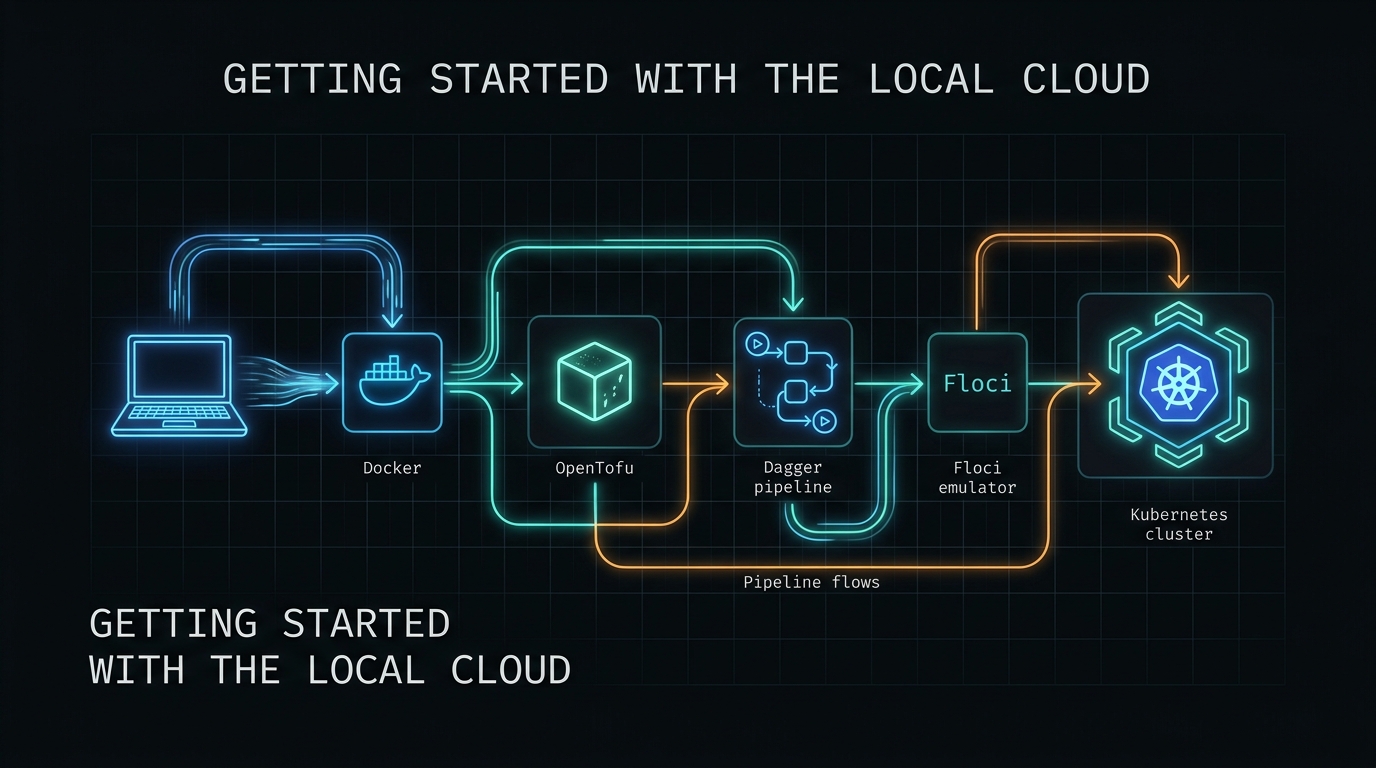
Getting Started with the Local Cloud
This series has covered a lot of ground. Twenty chapters, three cloud providers, two programming languages, and one methodology that has held across all of them.
But if you are joining us here, you might wonder: where do I start? What do I actually install? Do I need a cloud account? Do I need Kubernetes?
The answer to the last two is no. You need Docker and a terminal.
This guide walks through four scenarios that cover the full methodology. Each scenario builds on the last. By the end, you will have the entire local cloud stack running on your machine, with tested infrastructure code that works against any cloud provider.
What You Need
- Docker (24.0+) — for running Floci emulators
- OpenTofu 1.12+ —
tofuCLI, latest from opentofu.org - Git — for version control
- A terminal — Linux, macOS, or Windows (WSL2)
Optional but recommended:
- Go 1.24+ — if you want to build the Dagger pipeline locally
- Dagger CLI —
daggerbinary, for running the CI pipeline
No cloud accounts. No credit cards. No auth tokens.
The Four Pillars
Everything in this series rests on these four principles:
- Reproducible — same inputs, same outputs, every time
- Traceable — every change is in git, every run is logged
- Testable — tests gate every change, plan mode for idempotency
- Safe — nothing applies automatically, human review required
If a decision does not serve at least one of these, it is not the right decision.
Scenario 1: Deploy a Storage Bucket on AWS
This is the hello world of infrastructure. One S3 bucket, one command, one emulator.
Step 1: Start Floci
Floci is the AWS emulator. It runs on port 4566 and provides 69 AWS services out of the box.
docker run --rm -d --name floci -p 4566:4566 floci/floci:latest
That is it. No settings, no configuration, no cloud account. The emulator is ready in milliseconds.
Step 2: Write the Module
Create a directory for your infrastructure:
mkdir -p my-local-cloud/infrastructure/opentofu/modules/storage
cd my-local-cloud
Create infrastructure/opentofu/modules/storage/main.tf:
terraform {
  required_providers {
    aws = {
      source  = "hashicorp/aws"
      version = ">= 5.0"
    }
  }
}

variable "bucket_name" {
  type    = string
  default = "my-first-bucket"
}

resource "aws_s3_bucket" "this" {
  bucket = var.bucket_name
}

output "bucket_name" {
  value = aws_s3_bucket.this.bucket
}
Step 3: Write the Test
Create infrastructure/opentofu/modules/storage/storage.tftest.hcl:
provider "aws" {
  region                      = "us-east-1"
  access_key                  = "test"
  secret_key                  = "test"
  skip_credentials_validation = true
  skip_metadata_api_check     = true
  skip_requesting_account_id  = true

  endpoints {
    s3 = "http://localhost:4566"
  }
}

run "create_bucket" {
  command = plan

  module {
    source = "./."
  }

  assert {
    condition     = output.bucket_name == "my-first-bucket"
    error_message = "Bucket name should match default"
  }
}
Step 4: Run the Test
cd infrastructure/opentofu/modules/storage
tofu init -backend=false
tofu test
You should see:
Success! 1 passed, 0 failed.
That single test validates that your module structure is correct, your variable contracts are sound, and your outputs are well-typed. No S3 bucket was created. Floci was not contacted. The test ran entirely in plan mode.
Step 5: Apply Against Floci
cd infrastructure/opentofu/modules/storage
tofu init
tofu plan
tofu apply -auto-approve
Now check that the bucket actually exists:
curl http://localhost:4566/_localstack/health | grep s3
You just deployed infrastructure to a local AWS emulator. No cloud account. No cost. No delay.
Scenario 2: Test-Driven Infrastructure
The hello world proved the tooling works. This scenario proves the methodology works.
The rule is simple: write the test before the module. Red. Green. Refactor. Same as TDD for application code.
Step 1: Write the Test (RED)
Create infrastructure/opentofu/modules/database/database.tftest.hcl:
provider "aws" {
  region                      = "us-east-1"
  access_key                  = "test"
  secret_key                  = "test"
  skip_credentials_validation = true
  skip_metadata_api_check     = true
  skip_requesting_account_id  = true

  endpoints {
    dynamodb = "http://localhost:4566"
  }
}

run "create_table" {
  command = plan

  module {
    source = "./."
  }

  assert {
    condition     = output.table_name == "my-table"
    error_message = "Table name should match default"
  }

  assert {
    condition     = output.billing_mode == "PAY_PER_REQUEST"
    error_message = "Default billing should be pay-per-request"
  }
}
Run it:
cd infrastructure/opentofu/modules/database
tofu init -backend=false
tofu test
It fails. The module does not exist yet. This is the RED phase.
Step 2: Write the Module (GREEN)
Create main.tf:
terraform {
  required_providers {
    aws = {
      source  = "hashicorp/aws"
      version = ">= 5.0"
    }
  }
}

variable "table_name" {
  type    = string
  default = "my-table"
}

resource "aws_dynamodb_table" "this" {
  name         = var.table_name
  billing_mode = "PAY_PER_REQUEST"
  hash_key     = "id"

  attribute {
    name = "id"
    type = "S"
  }
}

output "table_name" {
  value = aws_dynamodb_table.this.name
}

output "billing_mode" {
  value = aws_dynamodb_table.this.billing_mode
}
Run the test again:
tofu test
Green. The module now satisfies the contract defined by the test.
Step 3: Refactor
Add tags, change defaults, add more outputs. Run the test suite after every change. The test tells you immediately if you broke something.
This is the pattern for every module in the series. The test defines the contract. The module implements it. The pipeline enforces it.
Scenario 3: Run the Dagger Pipeline
A single module is a component. A pipeline is a system.
The Dagger pipeline runs four stages, each in an isolated container:
- fmt-check — enforces consistent formatting across all modules
- validate-modules — initialises and validates each module
- test-modules — runs every plan-mode test
- integration-plan — generates a combined plan for the full environment
Step 1: Create the Pipeline
Create pipeline/main.go:
package main

import (
    "context"
    "dagger/pipeline/internal/dagger"
)

type Pipeline struct{}

func (m *Pipeline) infraDir() *dagger.Directory {
    return dag.CurrentModule().Source().Directory("infrastructure/opentofu")
}

func (m *Pipeline) tofuContainer() *dagger.Container {
    return dag.Container().
        From("debian:latest").
        WithExec([]string{"apt-get", "update"}).
        WithExec([]string{"apt-get", "install", "-y", "wget", "ca-certificates", "tar", "gzip"}).
        WithExec([]string{"wget", "-O", "/tmp/tofu.tar.gz",
            "https://github.com/opentofu/opentofu/releases/download/v1.12.1/tofu_1.12.1_linux_amd64.tar.gz"}).
        WithExec([]string{"tar", "-xzf", "/tmp/tofu.tar.gz", "-C", "/usr/local/bin"}).
        WithExec([]string{"rm", "/tmp/tofu.tar.gz"})
}

func (m *Pipeline) ValidateModules(ctx context.Context) (string, error) {
    cmd := "for mod in modules/*/; do cd \"$mod\" && tofu init -backend=false && tofu validate; cd -; done"
    return m.tofuContainer().
        WithDirectory("/infra", m.infraDir()).
        WithWorkdir("/infra").
        WithExec([]string{"sh", "-c", cmd}).
        Stdout(ctx)
}
Step 2: Run the Pipeline
cd pipeline
dagger init --sdk=go
dagger develop
dagger call validate-modules
The pipeline downloads OpenTofu, initialises every module, and validates them all in an isolated container. No local dependencies, no version conflicts, no “works on my machine.”
Scenario 4: Deploy to a Second Cloud
The methodology is not tied to AWS. The same discipline applies to GCP and Azure.
To switch clouds, you change three things:
- The provider block — from
hashicorp/awstohashicorp/googleorhashicorp/azurerm - The emulator — from
floci/floci:latest(AWS, port 4566) tofloci/floci-gcp:latest(GCP, port 4588) tofloci/floci-az:latest(Azure, port 4577) - The resource types — from
aws_s3_buckettogoogle_storage_buckettoazurerm_storage_account
Everything else stays the same. The test structure, the pipeline stages, the TDD cycle, the four pillars. The cloud provider is a parameter. The methodology is the constant.
Here is the same scenario from Scenario 1, but for GCP:
provider "google" {
  project     = "my-project"
  region      = "us-central1"
  access_token = "test"

  storage_custom_endpoint = "http://localhost:4588/storage/v1/"
}

resource "google_storage_bucket" "this" {
  name     = "my-first-bucket"
  location = "US"
}
One port change, one provider swap, one resource rename. The same test pattern. The same pipeline. The same result.
Putting It All Together
The complete local cloud workflow fits in six commands:
# 1. Start the emulator
docker run --rm -d --name floci -p 4566:4566 floci/floci:latest

# 2. Write a module (with a test first)
vim infrastructure/opentofu/modules/my-module/main.tf

# 3. Write the test
vim infrastructure/opentofu/modules/my-module/my-module.tftest.hcl

# 4. Test in plan mode
cd infrastructure/opentofu/modules/my-module
tofu init -backend=false && tofu test

# 5. Run the full pipeline
cd pipeline
dagger call test-modules

# 6. Commit
git add -A && git commit -m "feat: my-module with plan-mode tests"
No cloud console. No waiting for resources. No surprise bills. Infrastructure as code, tested and validated, on your machine.
The Philosophy
The local cloud is not about running everything locally forever. It is about knowing your infrastructure works before you trust it with production.
A module that passes tofu test in plan mode is guaranteed to have the right structure. A module that passes dagger call validate-modules is guaranteed to compose correctly with its neighbours. A plan reviewed before apply is guaranteed to have human oversight.
The four pillars are not abstract ideals. They are checkpoints in a workflow:
- Reproducible — the emulator produces the same state every time
- Traceable — every change is in git, every run is logged by Dagger
- Testable — plan-mode tests run in seconds without side effects
- Safe — nothing reaches production without a reviewed plan
Start with one bucket. Add a database module. Add a pipeline. Add a second cloud. The methodology scales with you.
Repos:
- github.com/dark5un/local-cloud (AWS)
- github.com/dark5un/local-cloud-gcp (GCP)
- github.com/dark5un/local-cloud-az (Azure)
Here I geek out with my young Padawan, OrsonRius.